
mooDating allows administrators and moderators to create and manage sub-profiles—additional profiles that can be used to interact with users and help boost early-stage engagement on the platform. With the ability to seamlessly switch between accounts, admins can simulate activity, respond to users, and ensure a more dynamic and engaging experience, especially during the initial growth phase.
To save time, the system also includes a bulk creation tool, enabling admins to generate multiple sub-profiles at once and assign them to specific staff members. This makes it easy to populate the platform, demonstrate features, and maintain consistent interaction levels.
When real users interact with a sub-profile, the owner of sub-profile will receive notifications in real time, allowing them to take timely actions and maintain natural, responsive conversations.
Designed for flexibility and efficiency, sub-profile management helps you create a lively community environment while you scale your real user base.
To create a sub-profile (you need to have permission to create thru role setting), you need to click on “Switch” icon. See below screenshot. If you don’t have permission to create fake profile, it will not display
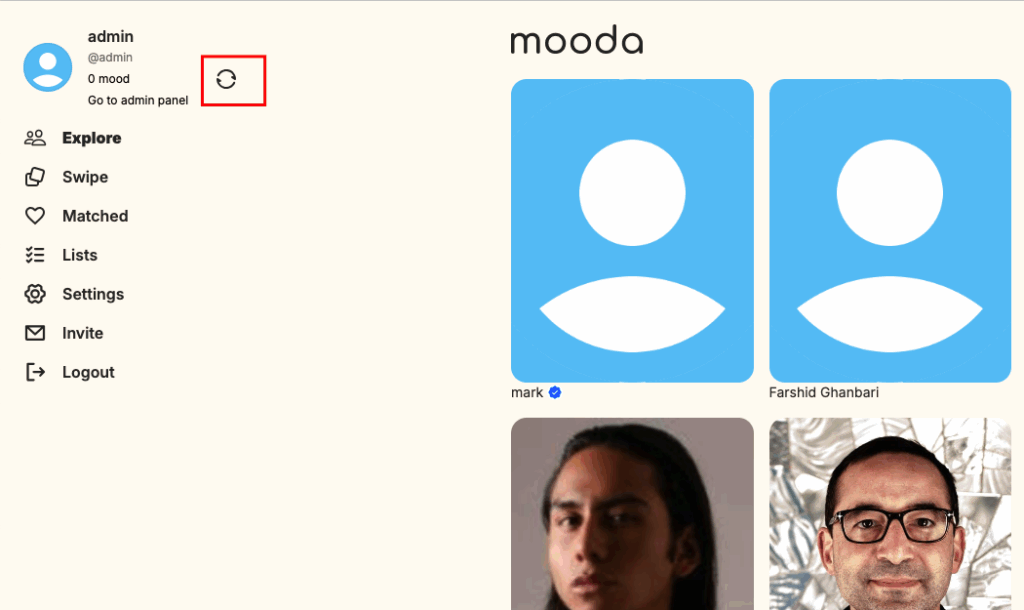
You will see a popup that lists all of your fake profile. You can pick one to switch or create a new one
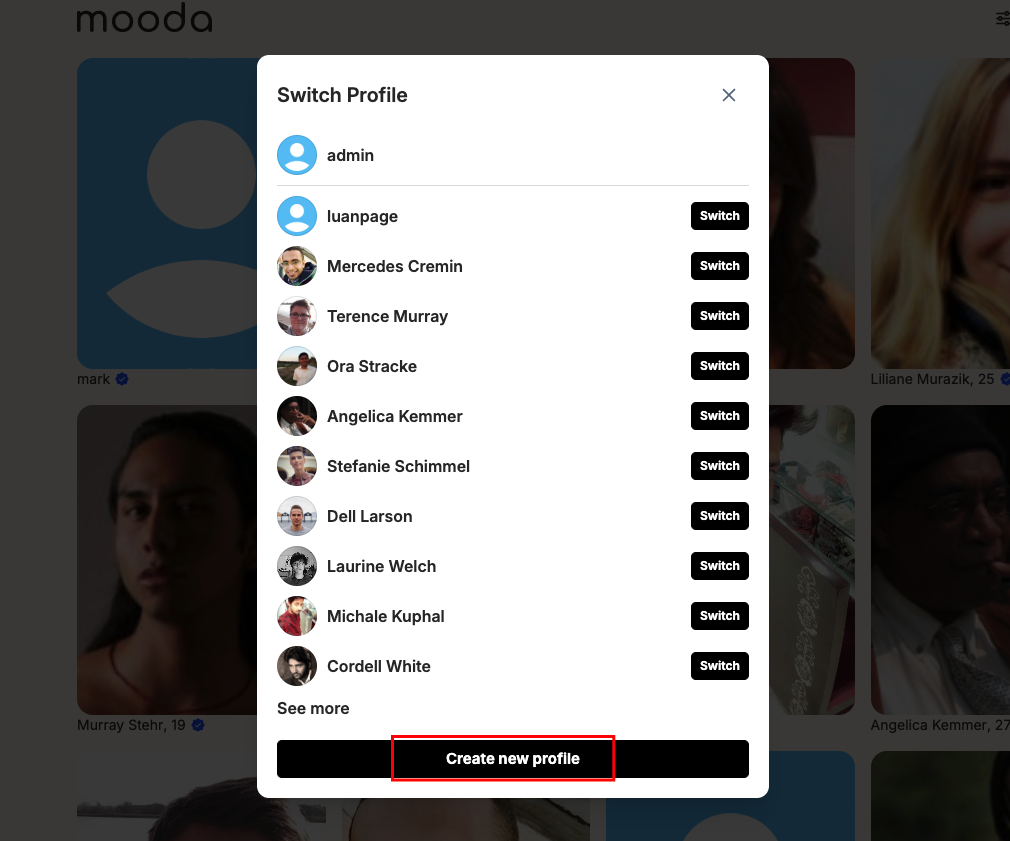
When you switch, you will be automatically logged in as the sub-profile and can start interacting with other users. You can perform all actions just like a regular user. If someone interacts with the sub-profile, the main account will receive a notification.
To save time, you can bulk create sub-profiles for a specific member in the AdminCP by going to AdminCP → Sub Dating Profiles → Create Sub-Profile.
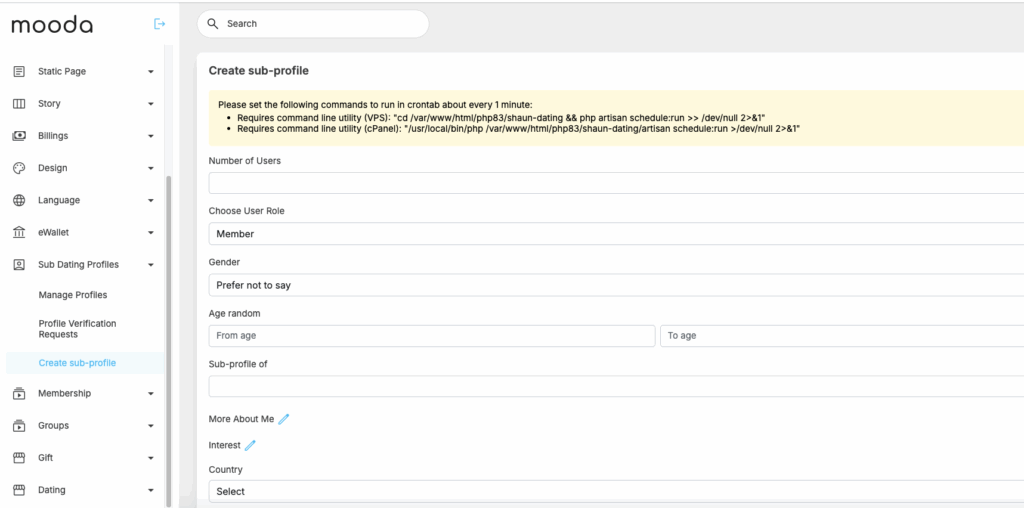
Fill in all the required fields, then click “Save Changes.” The system will automatically create the sub-profile in the background. The “About,” “More About Me,” and “Interests” sections will be randomly assigned based on what you selected to the newly created sub-profile.


