
The Enhanced Sub-Profile Management feature gives administrators more flexibility when creating and managing large numbers of sub-profiles (fake profiles) on mooDating.
Previously, the system included a built-in collection of 792 male and 383 female profile photos. Once these images were fully used, creating additional realistic sub-profiles became more limited.
With this improvement, administrators can now upload additional profile photos directly from the Admin Panel and expand the available photo library at any time. Separate image pools are supported for male and female profiles, and newly uploaded photos are automatically added to the system’s random assignment process.
This helps ensure that each newly generated sub-profile receives a more unique and realistic profile picture, allowing site owners to create and scale profile activity more efficiently.
To upload new profile photos for fake profile, please go to admincp -> sub dating profiles -> Create sub-profile and click on “Upload more fake photos”
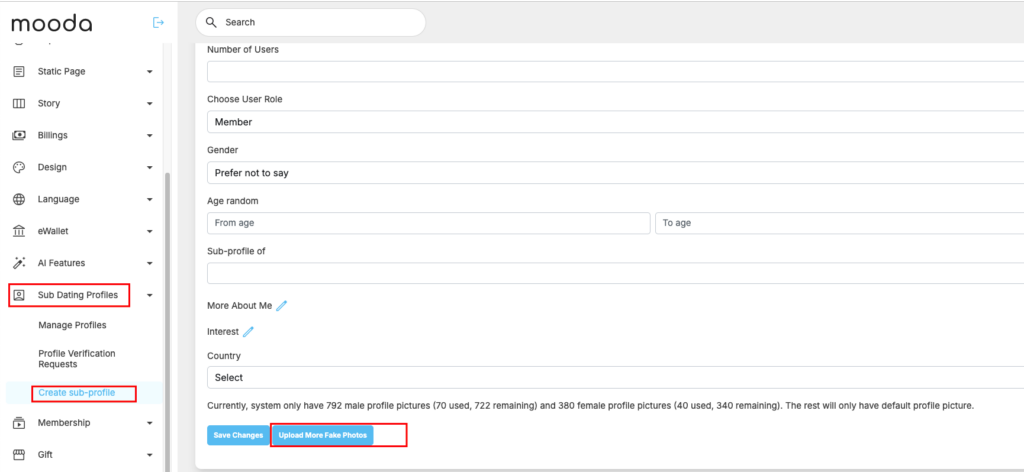
You need to select gender and then upload max 10 photo each time
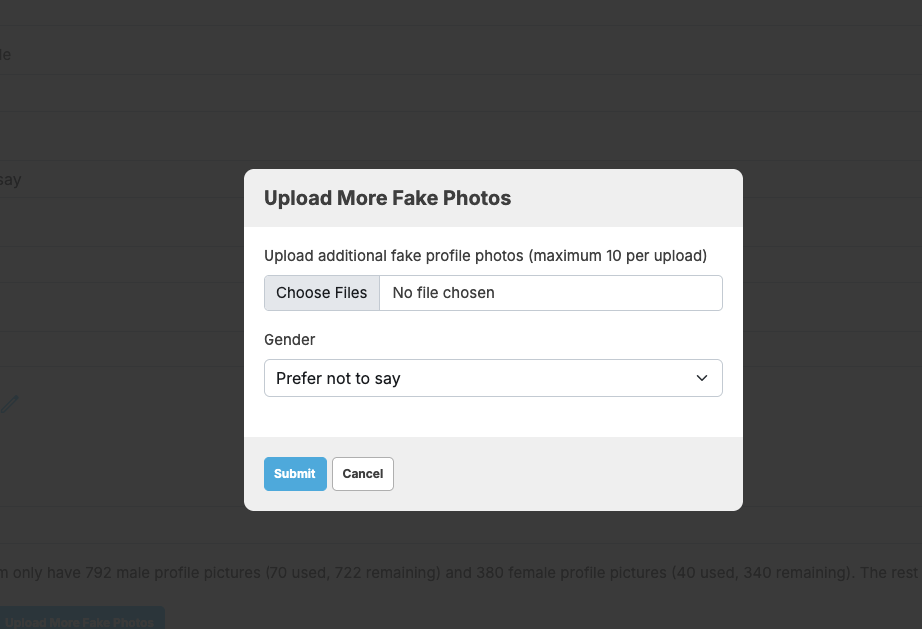
Hit on “Sumbit” to save. Then you will have more fake photos to continue adding more fake profiles.


