
mooDating supports CCBill, a trusted payment gateway widely used in the dating industry. Unlike many popular providers such as Stripe or PayPal—which often have restrictions for dating platforms—CCBill is designed to support subscription-based and high-risk businesses, making it an ideal choice for your site.
With seamless CCBill integration, you can securely process payments, manage recurring subscriptions, and handle global transactions with confidence. This ensures a smooth and reliable monetization experience for both you and your users.
Follow below steps to enable the CCBill payment gateway
Go to admincp -> Billing -> Manage payment gateway recurring
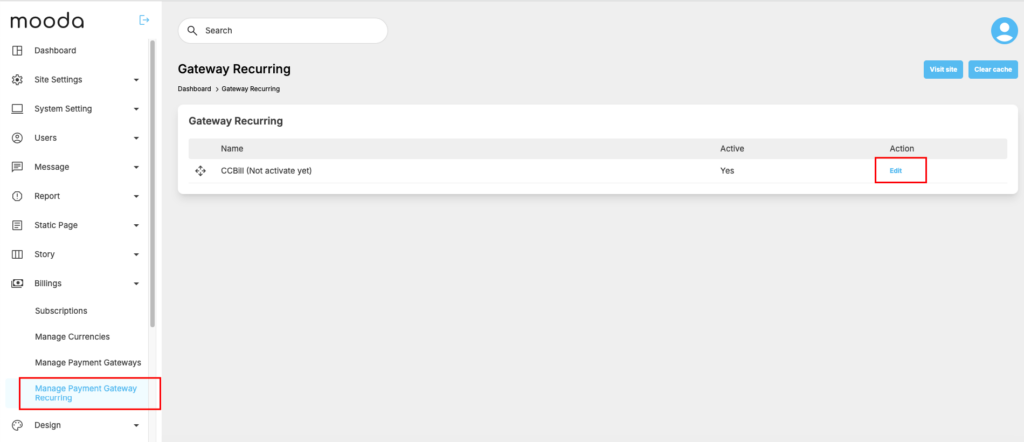
Click on “Edit” to open setting form for CCBill gateway
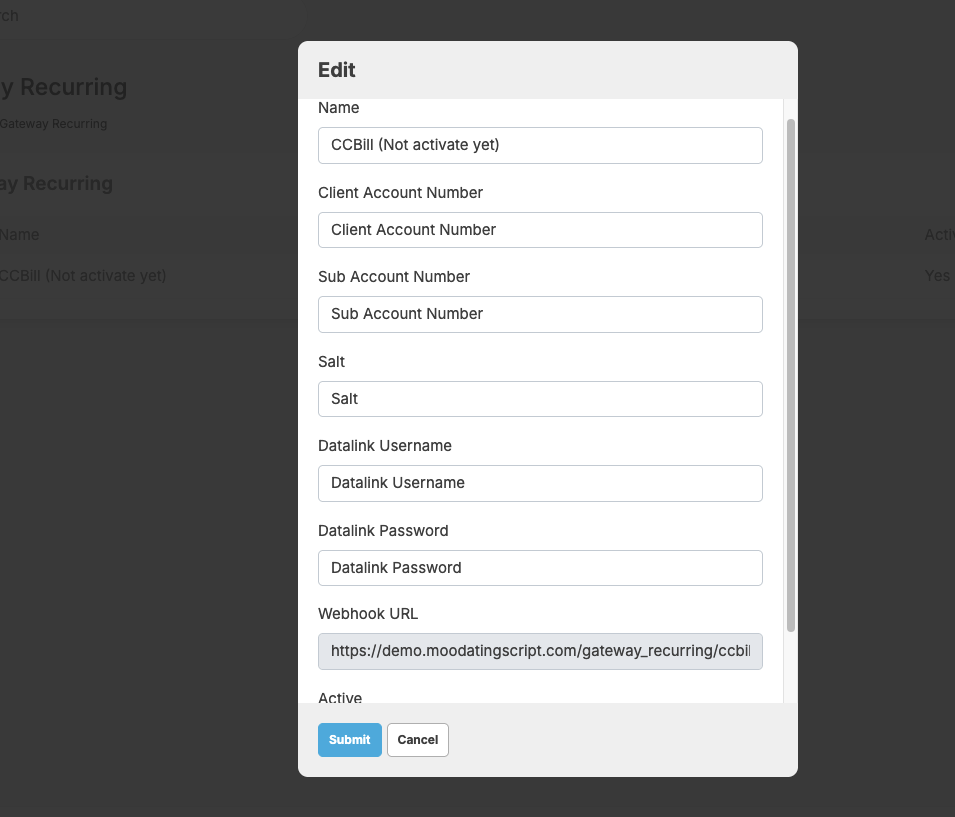
Here is how to locate or generate the required information (Salt, Account Number, Username/Password) to configure your site:
Retrieve Account Number & Subaccount Number
Account Number: Found in the top corner of your CCBill admin portal, usually in the format 9xxxxx.
Subaccount Number: Navigate to Account Info > Sub Account Admin > Create Subaccount. The subaccount is a 4-digit number (e.g., 0000) assigned to your specific website
Generate the Salt/Encryption Key
Method: You must contact CCBill Merchant Support to have them generate or enable a salt key for your account.
Location: Once generated, it is visible under Sub Account Admin > Advanced > Encryption Key.
Create Data Link Username and Password
Data Link is needed for API integration (for things like checking subscription status).
Location: Navigate to Account Info > Data Link Services Suite.
Action: Click Add User and create a unique username and password. Enter your server’s IP address in the “Valid IPs” field for security.
Create a Payment Form (FlexForms)
You need a form name for the integration.
Location: Form Admin > Create New Form.
Action: Choose the billing type (e.g., Credit Card) and select a layout. Note the Form Name or FlexForm ID generated.
How to create CCBill plan ID and link it to subscription plan on your own dating site?
After the CCBill gateway is properly configured, you need to create a subscription plan to obtain the CCBill Plan ID. Then, enter the CCBill Plan ID into the corresponding subscription plan on your site.
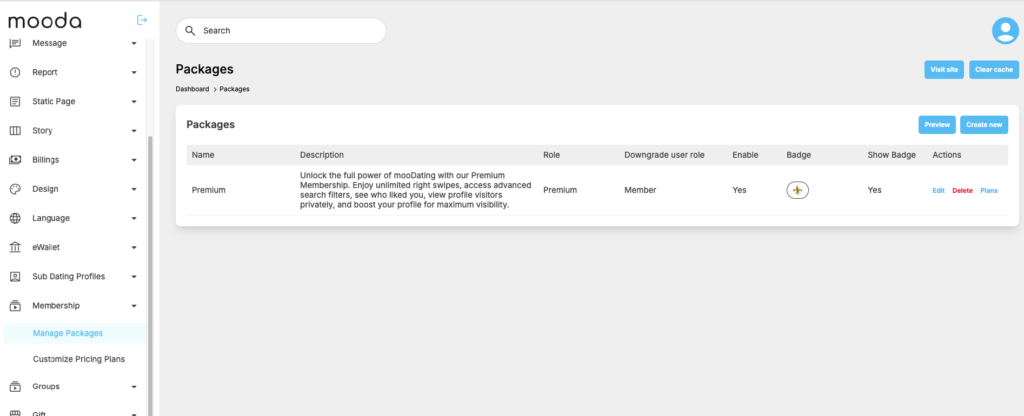
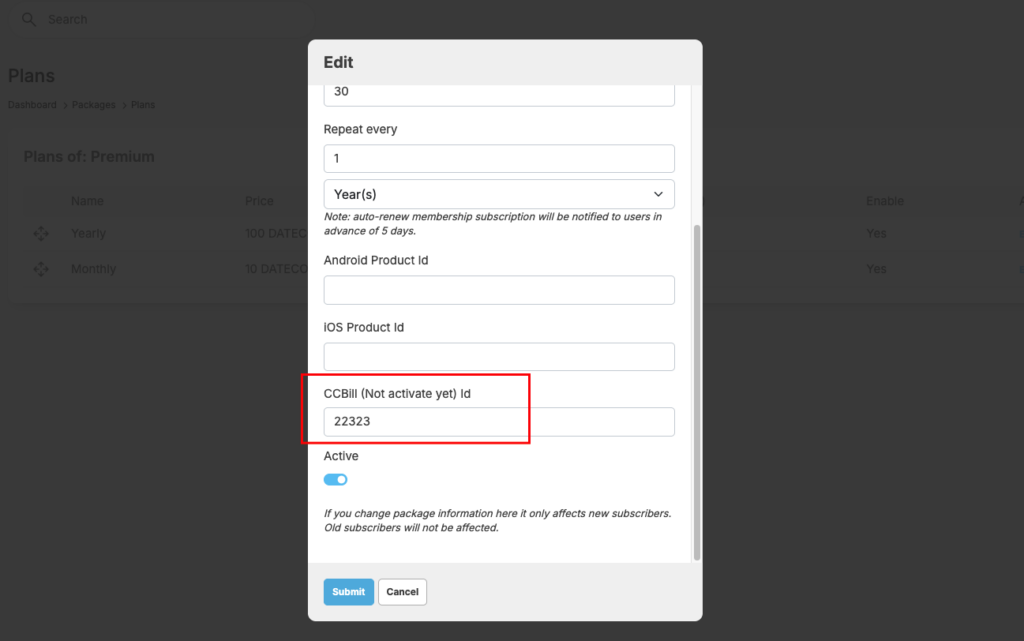
If everything is configured correctly, your member then can subscribe to membership using CCbill.
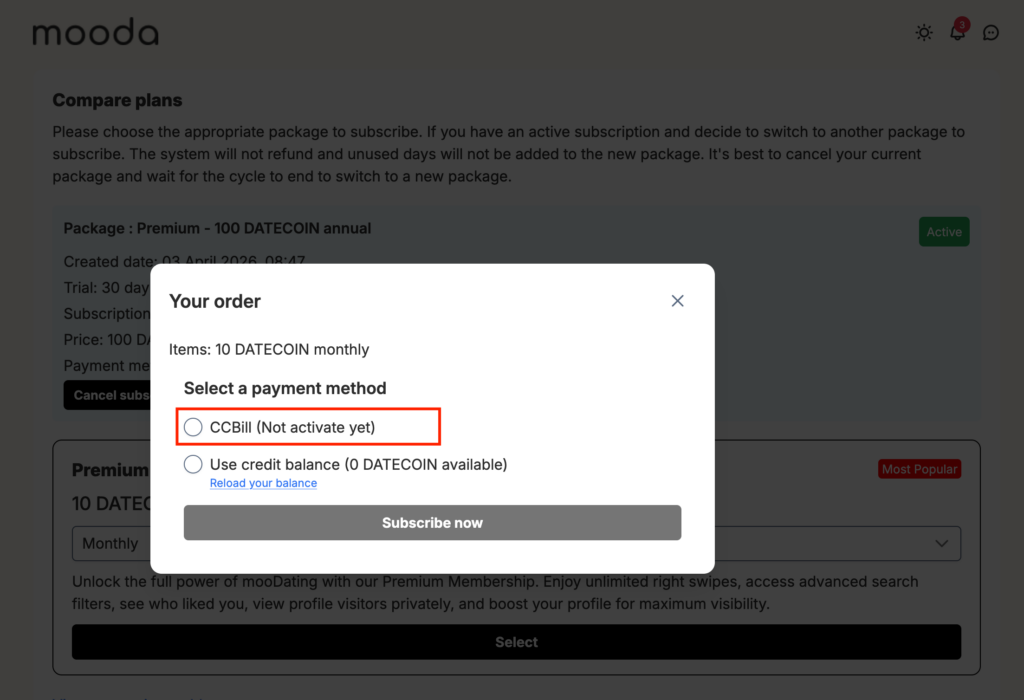
Configure the CCBill payment gateway is a bit complicated to do. Please contact us if you need our tech support to help you setup.


