
The AI Chat for Sub-Profiles feature helps create a more active and engaging experience by allowing sub-profiles (fake profiles) to automatically communicate with real users using AI-powered conversations.
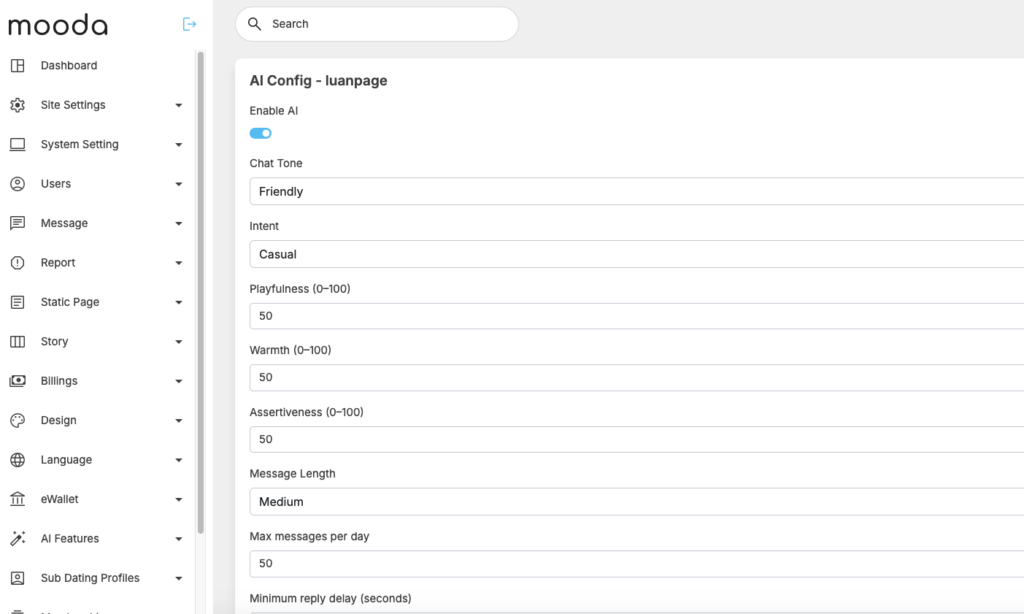
Instead of sending static or repetitive messages, the AI can generate more natural responses based on profile information, personality settings, interests, and conversation history. Site administrators can configure how sub-profiles behave, including response style, personality type, intent, and message tone.
To create a more realistic experience, the system also supports configurable response delays to simulate human behavior and avoid instant automated replies.
This feature is especially useful for new platforms looking to improve activity levels, increase user engagement, and create a more dynamic community experience from the early stages of growth.
Follow below step to configure
Enable AI provider: go to admincp -> AI features -> Manage AI provider
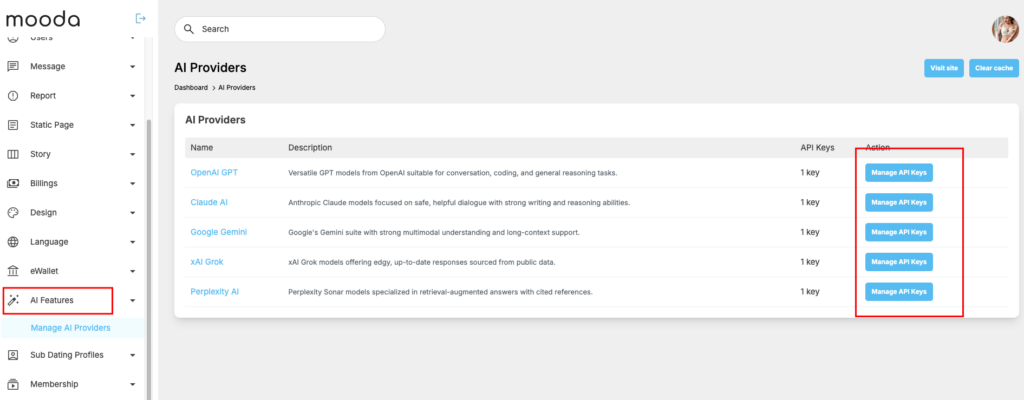
Platform support 5 popular AI providers as you can see in above screenshot. Please use the one that you think work well with you.
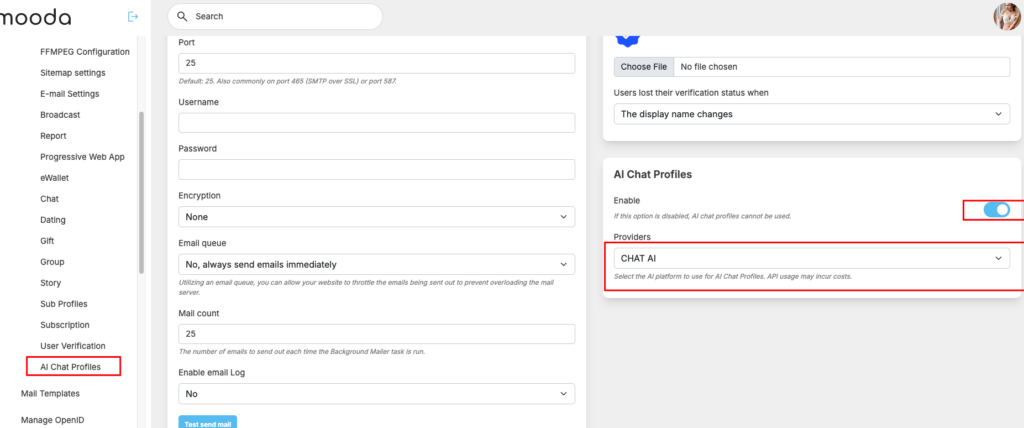
Enable AI chat: Go to admincp -> General configuration -> AI chat profiles -> enable the setting and select the provider that you want to use.
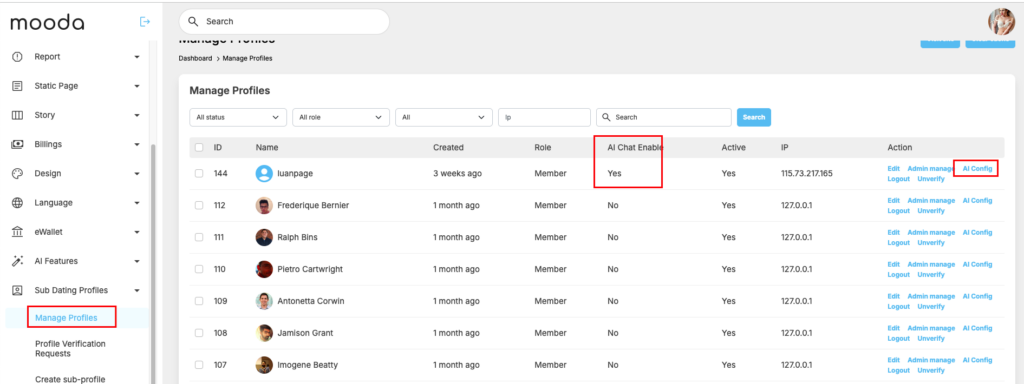
Go to Sub Dating profiles -> Manage profile -> pick to profile that you want to enable AI chat then click on “AI Config”
The configuration page below will open. You can configure how sub-profiles behave, including response style, personality type, intent, and message tone. Click on Save changes to finish and start checking how it works
That’s, then if some one like your fake profile, owner of fake profile will get a notification and like back -> It’s a matched then a chat conversation will auto create. If the fake profile has AI chat enable -> it will auto chat with real profile using the tone, styles….that you configured above.


